
DamonSX2 Pro - PS2 Emulator
Reinferno Pvt. LimitedLibraries & Demo
3.3299.00 Reviews
- Version
- 420
- Installs
- 1.00M
- Age Rating
- Everyone
Screenshots
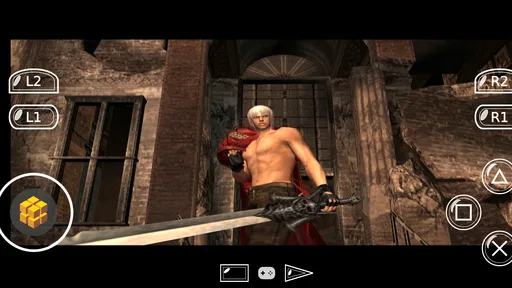
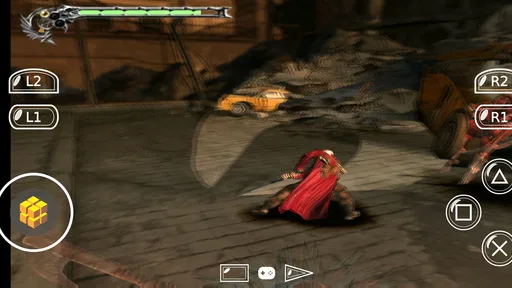
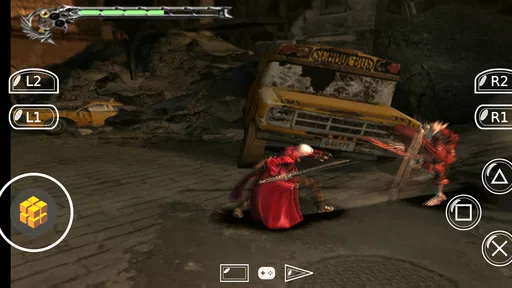
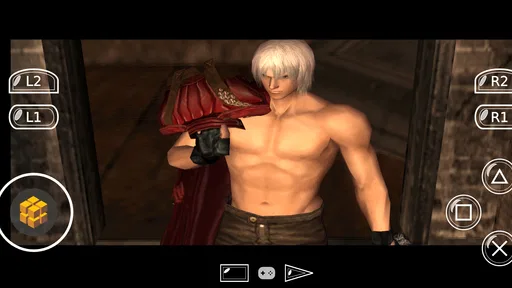
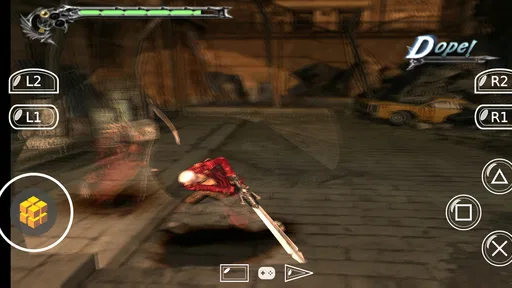
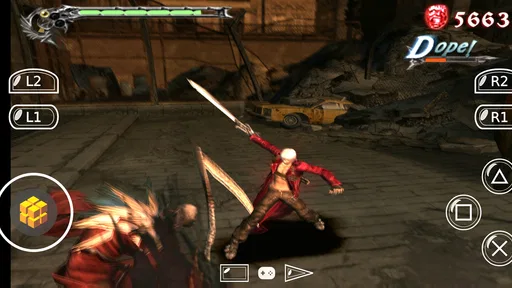
Our Review of DamonSX2 Pro - PS2 Emulator
 Analysis by Appyee
I find that a PS2 emulator is at its most useful when it fits around the way I already use my phone: a short session during a break, a longer stretch at home, or a return to a game I left unfinished years ago. DamonSX2 Pro - PS2 Emulator is aimed at that kind of portable nostalgia, though the experience depends on more than a familiar title. The phone, the game files, the controls, and sometimes the network all affect how smoothly I can get from opening the app to actually playing.
Where connectivity enters the experience
The app is an emulator, so it is worth separating its role from the things needed to play. DamonSX2 Pro provides the emulation environment; the PS2 BIOS and game ROMs are separate inputs that a user needs to arrange. That distinction matters when planning a session: downloading or organizing files may involve internet access, while the actual experience depends on how the app handles the files already available on the device. I would not assume every step works the same way in every setup.
Connectivity can also shape the first run more than later play. If I am installing the app, looking for legitimate copies of the files I need, or checking device-specific guidance, a stable connection makes preparation easier. Once everything is set up, I would focus on whether the game launches and runs reliably on my phone rather than treating a connection as a guarantee of better emulation. A network cannot compensate for a demanding game or a device that is struggling.
That is why I would prepare before leaving home instead of expecting a quick, friction-free setup on a commute. I would confirm that the files I intend to use are accessible, test the game, and check that the chosen control layout feels comfortable. This simple routine is especially useful for a long RPG: discovering a file or setup issue after settling into a train seat is much less pleasant than sorting it out in advance.
Getting Started with DamonSX2 Pro
First things first, let's talk about getting the DamonSX2 Pro up and running. It’s available on both Android and iOS, making it super accessible for almost everyone. Installing it is a breeze—just head over to the app store, download it, and you’re good to go. The interface is quite user-friendly, which is definitely a plus. You don’t need a PhD in technology to navigate through the menus.
Once you have the app installed, you’ll need to load the PS2 BIOS and your favorite game ROMs. If you’re like me and enjoy fiddling with settings, DamonSX2 Pro offers a bunch of customization options. You can tweak the graphics and controls to suit your preferences, and trust me, it makes a world of difference.
Making mobile sessions practical
On a phone, comfort and context can matter as much as raw performance. I would use the on-screen controls for a brief session when carrying a separate controller is inconvenient, then switch to an external controller at home if that feels better. A small screen can suit turn-based play or a quick revisit to a familiar stage, while games that demand precise timing may be more enjoyable with a physical controller and a stable place to rest the phone.
There is a useful trade-off in how I choose a game for a particular moment. A game with frequent natural pauses is easier to fit into a short break than one that expects a long uninterrupted stretch. Save states can help bridge that gap, but they do not make every game equally suited to a bus ride, a waiting room, or a noisy shared space. I would also keep headphones and screen visibility in mind rather than assuming a phone session will feel like playing at home.
For a realistic everyday example, imagine I have ten minutes before an appointment. I would open a game I have already tested, use a familiar control layout, and pick up from a recent save rather than trying a new title or changing rendering settings in the waiting room. That approach reduces setup time and makes it less likely that a small configuration problem consumes the whole break. For a longer evening session, I can take more time to compare settings and settle on controls that suit the game.
Performance and Features
Now, let's dive into the nitty-gritty—performance. The emulator supports a wide range of PS2 games and offers a smooth gameplay experience. On most modern smartphones, the games run seamlessly with minimal lag, which is quite impressive. Of course, performance can vary based on the specs of your device, but overall it’s pretty solid.
One of the standout features of DamonSX2 Pro is the ability to save and load game states. Remember the frustration of losing progress back in the day? Not anymore! You can save your game at any point and pick up right where you left off. It’s a lifesaver for those intense boss battles that seem impossible to conquer in one go.
Additionally, the app supports both hardware and software rendering. If you're aiming for the best visual quality and have a powerful device, hardware rendering is the way to go. For those with older phones, software rendering still provides a decent experience without overloading your system.
When a setup fails, and how I would recover
Emulation can be more sensitive to setup than a game running on its original console. If a title fails to start or behaves poorly, I would avoid changing several options at once. First I would check that the BIOS and game file are the ones I meant to load, then test a different rendering choice or restore a simpler control layout. Changing one thing at a time makes it much easier to tell whether a tweak helped or made the problem worse.
Save states are convenient, but I would not make them my only form of progress management. A state can be handy before a difficult encounter or when I need to pause unexpectedly; ordinary in-game saves are still valuable when a game offers them. Keeping more than one useful point to return to also reduces the risk of being stuck with a state created at an awkward moment. That is a practical habit, not a promise that every game will behave identically.
If the app works for one game but not another, I would treat that as a compatibility question rather than proof that the whole emulator is broken. PS2 titles can put different demands on an emulator, and the phone’s capabilities matter too. I would test a familiar game before committing to a lengthy playthrough, especially on an older or entry-level device. If stable, predictable results matter more than experimenting, playing on original hardware or choosing a different established platform may be the better route.
Controls and Compatibility
Let’s talk about controls. The on-screen controls are intuitive and customizable. If you’re someone who’s picky about control layouts, you’ll appreciate the level of customization available. Plus, the app supports external controllers, which is fantastic for those of us who miss the tactile feel of a physical controller.
In terms of compatibility, DamonSX2 Pro supports a vast library of games. Whether you’re into RPGs, racing games, or action adventures, there’s something for everyone. It’s like having a mini PS2 in your pocket, ready to deliver hours of nostalgia-filled entertainment.
Choosing it over other ways to play
Compared with the usual alternatives, this app is most appealing if I specifically want PS2 emulation on a phone and am willing to handle the setup. A console is the straightforward choice for someone who values original hardware and a living-room controller. A general retro-gaming app may be simpler for older systems, but it is not a substitute when the goal is to revisit PS2 games. On the other hand, someone who wants a quick game with no file preparation may be better served by a conventional mobile game.
The difference is not just convenience. Emulation offers portability and flexible controls, while asking the user to bring the necessary files and make sensible choices about graphics and input. A controller can improve precision, but it adds something to carry; touch controls keep the phone self-contained, but can cover part of the screen and feel less natural in demanding action. I would choose based on the game and the setting, rather than expecting one control option to be best for everything.
Data-conscious habits and who should try it
For a data-conscious setup, I would do file preparation and troubleshooting while connected to a trusted network, then avoid unnecessary downloads during a planned play session. I would also keep track of where my game files are stored and make sure I have a sensible backup of important saves. Those habits help with organization and recovery without assuming that the emulator needs a connection while playing or that every feature behaves offline in every circumstance.
The app is a better fit for someone who already understands the basics of emulation, enjoys adjusting controls, or is happy to test a game before settling in. It can also suit a curious newcomer who is willing to learn what BIOS and ROM files do and how to use them appropriately. I would skip it if I want a one-tap experience, dislike troubleshooting, or expect every PS2 game to run perfectly on any phone. That expectation is especially risky when I have not tested the title or the device combination first.
There are a few practical questions I would answer before a long session. Will my phone handle the game comfortably? Do I have the files ready and know which one I am loading? Are touch controls good enough, or should I bring a controller? Have I tested saving and loading in the particular game? A quick check of these points is more useful than assuming a broad compatibility claim means every setup will feel identical.
Final Thoughts
In conclusion, the DamonSX2 Pro - PS2 Emulator is a fantastic app for anyone looking to relive the golden era of gaming. It’s easy to use, performs well, and offers a range of features that enhance the gaming experience. Whether you’re a die-hard fan of PS2 classics or just curious about retro gaming, this emulator is worth checking out.
So, if you’re ready to embark on a nostalgic journey and relive your childhood gaming memories, give DamonSX2 Pro a try. It’s like opening a portal to the past, and trust me, you won’t be disappointed!
What its place in the catalog tells me
DamonSX2 Pro is a free app in the Libraries & Demo category, developed by Reinferno Pvt. Limited. It has an average rating of 3.2 from around 4,200 ratings, with roughly 296 written reviews, and has passed one million installs. I read that mixed average as a reason to approach it with realistic expectations: interest is clear, but an emulator’s results can depend heavily on the phone, game, and setup rather than matching every person’s experience.
It was released on July 10, 2022, and the current version is 420; it requires Android 8.0 or later and is rated for Everyone. The listing’s “Pro” name should not be mistaken for a price: the app is free. For me, the practical decision is less about the label and more about whether I am comfortable preparing game files and testing performance. If I am, it offers an inviting way to explore PS2 emulation on mobile; if I am not, a console or a simpler mobile game is a more sensible choice.
My connectivity verdict
Connectivity is mainly part of preparation and problem-solving in the way I would approach this emulator, not a reason by itself to choose it. I would get my setup organized before heading out, test a game and its save workflow, and keep expectations tied to the capabilities of my own phone. For the right user, the payoff is the flexibility to revisit PS2 games in mobile-sized sessions. For someone who wants dependable plug-and-play gaming without file management or adjustment, the setup burden outweighs that flexibility.
Privacy and Permissions
See what permissions an app requests and how it handles your data.
- Wi-Fi connection information
- view Wi-Fi connections
- Other
- view network connections, change network connectivity, full network access, run at startup, control vibration, prevent device from sleeping
Verdict
Strengths of DamonSX2 Pro - PS2 Emulator
- High compatibility with PS2 games.
- Smooth graphics and performance.
- User-friendly interface.
- Support for external controllers.
- Regular updates and improvements.
Limitations of DamonSX2 Pro - PS2 Emulator
- Requires high-end devices.
- Some games may experience glitches.
- Ads in the free version.
- No official game support.
- Setup can be complicated for beginners.
Similar Picks in This Category
View All
PGT: GFX, Launcher & Optimizer
Trilokia Inc.4.5

AusweisApp Bund
Governikus Service GmbH3.7

Cardboard
Google LLC3.2

Gamers GLTool with Game Tuner
Trilokia Inc.4.5

Multi Web Chat - Read Secretly
World Scan & Cleaner3.8

App Cloner Premium & Add-ons
App Listo1.9
Frequently Asked Questions
What is DamonSX2 Pro, and how does it work?
DamonSX2 Pro is a powerful PS2 emulator designed for Android devices, allowing users to run PlayStation 2 games on their smartphones or tablets. It works by mimicking the PS2's hardware and software environment, enabling the execution of original PS2 game files. The app requires high-performance devices for optimal gameplay experience.
What are the minimum device requirements for DamonSX2 Pro?
To run DamonSX2 Pro smoothly, your Android device should have at least a Snapdragon 835 processor or equivalent, 4GB of RAM, and Android 5.0 or higher. While the emulator can run on lower specifications, higher-end hardware ensures better performance and compatibility with a broader range of games.
Does DamonSX2 Pro support all PlayStation 2 games?
While DamonSX2 Pro boasts a wide compatibility range, it doesn't support every PS2 game. Some games may run with glitches or reduced performance. The emulator is frequently updated to improve compatibility, so it’s advisable to check the latest updates and user reviews for specific game performance.
Is DamonSX2 Pro free to download and use?
DamonSX2 Pro is a paid application, offering enhanced features and performance compared to its free counterpart. Purchasing the Pro version provides additional benefits such as ad-free usage, faster emulation speed, and advanced settings, enhancing the overall gaming experience.
How can I optimize game performance on DamonSX2 Pro?
To optimize performance, ensure your device meets the recommended specifications and regularly update the app. In the settings, adjust the graphics and rendering options to balance quality and speed. Closing background apps and keeping your device cool can also enhance performance during gameplay.
